


Tutoring Support at CIAT
Your tutors are here to help — from coursework clarification to certification exam prep.
CIAT provides free tutoring support as part of its academic resources. Tutoring is available to assist with coursework, lab assignments, and certification preparation.
Students can work directly with a tutor to review course material, ask questions, and receive additional guidance on topics they would like to better understand. Tutoring can also be helpful for reinforcing concepts, preparing for exams, or building confidence in technical skills.
We understand that navigating your courses can sometimes be challenging, and having access to additional support can make all the difference. Whether you need help understanding a concept or preparing for a certification exam, your tutors are ready to provide tailored, one-on-one assistance.
Students are encouraged to use tutoring at any point during their program as a way to support their learning and stay engaged with course material. Tutoring is available upon request. Once your request is submitted, your assigned tutor will reach out within 24–48 business hours to schedule your session.
How to request tutoring through the student portal
- Sign in to the student portal
Visit www.ciat.edu and click Student Portal in the upper right corner, or go directly to learn.ciat.edu. - Navigate to Tutoring Request
From the menu, click on Tutoring Request.
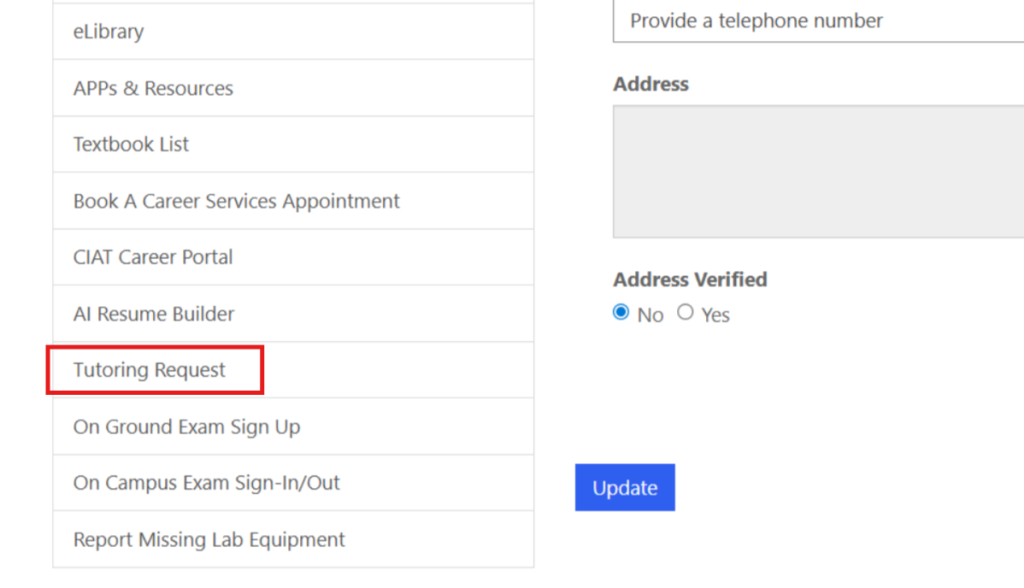
- Complete the form
Outline your areas of need and select a convenient session time. That’s it!
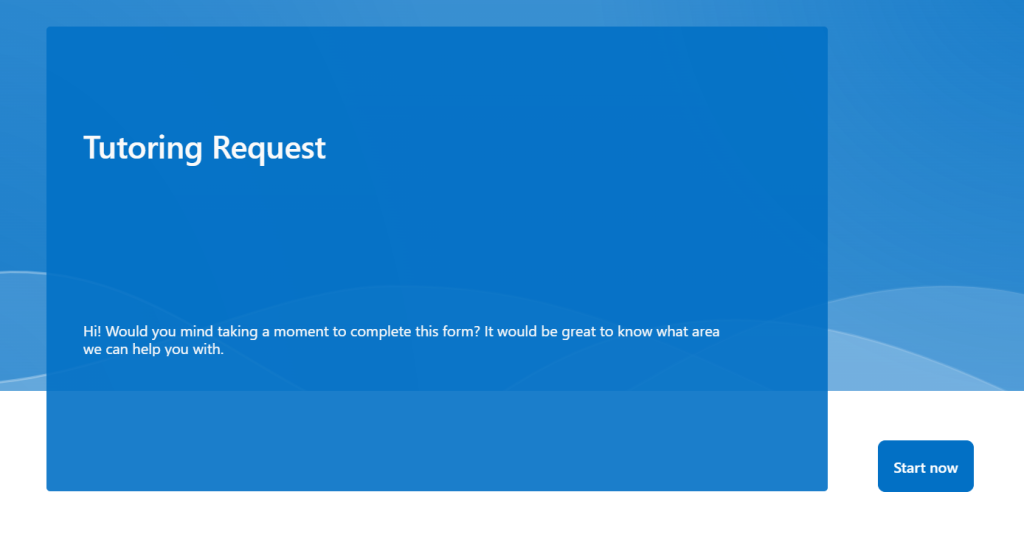
First time logging in? Visit the Setting Up Your Microsoft 365 Account article for step-by-step login instructions before getting started.
Other resources available in your student portal
Once logged in, you can access all your key tools from the navigation bar on the left.
Student email
Click Student Email to open Outlook Online. Check both the Focused and Other tabs if you can’t find an email.
Canvas (your courses)
Click Access my Classes (Canvas). Always start from the student portal — going directly to Canvas via URL won’t log you in.
Microsoft 365 apps
Go to Apps & Resources → Office 365 Apps to access Word, PowerPoint, Outlook, and more — online or as desktop downloads.
We’re committed to your success and here to support you every step of the way. Don’t hesitate to reach out if you have any questions.


